Affordable
In these tough times, we all need to save money.
By moving to a Linux operating system, NONE of the License Fees that have to be paid for other Operating systems and Office Applications apply.
Pages and pages can be built to show people's Testimonies about Linux, but instead of boring you to death, you can find a Typical one here.
Also - as time moves on and Applications change, the LibreOffice Office Applications that are used in Linux, are available for Upgrade to Linux users FREE of charge.
One therefore NEVER has to pay the exorbitant Licensing fees charged by other Suppliers.
Our Installation offers an option to Backup and Restore amongst others previous Office Documents, Spreadsheets, Slideshows and Drawings (*) when moving across to the Linux operating system (at an 'agreed to' charge).
Linux also has the most Powerful Graphics manipulation software in the World.
Gimp

is a perfect example and if it can not be done using tools like these,
it can NOT be done ...
Linux also supports a wide variety of 'Point of Sale' Applications, and details of just SOME may be seen here.
TopSOFT does not provide any Support for examples given above - details just given ForYourInfo.
Explanations of what Linux is can be found here on The Web.
The Web also offers FREE Linux training for any one curious about Linux.
See here:

Another huge PLUS is also that one does not have to purchase (and keep up to date) any Virus Checking software because Linux systems are not prone to Viruses.
Some 'rambling' about The power of Linux ...
Once Linux has been installed, one has such an amount of powerful Linux commands at one's disposal that no record could be found of exactly 'how many Linux commands exist'.
Everybody is faced with the situation of having to Extract data from some source, do something with that and report it in another way.
Data Manipulation is the key strength of Linux because tasks that would normally require 'programming' or a lot of work, can in most cases be achieved with a 'One-line' set of Linux commands.
A practical example follows:
Given a sample Spreadsheet containing all Travels for a given period - as in:
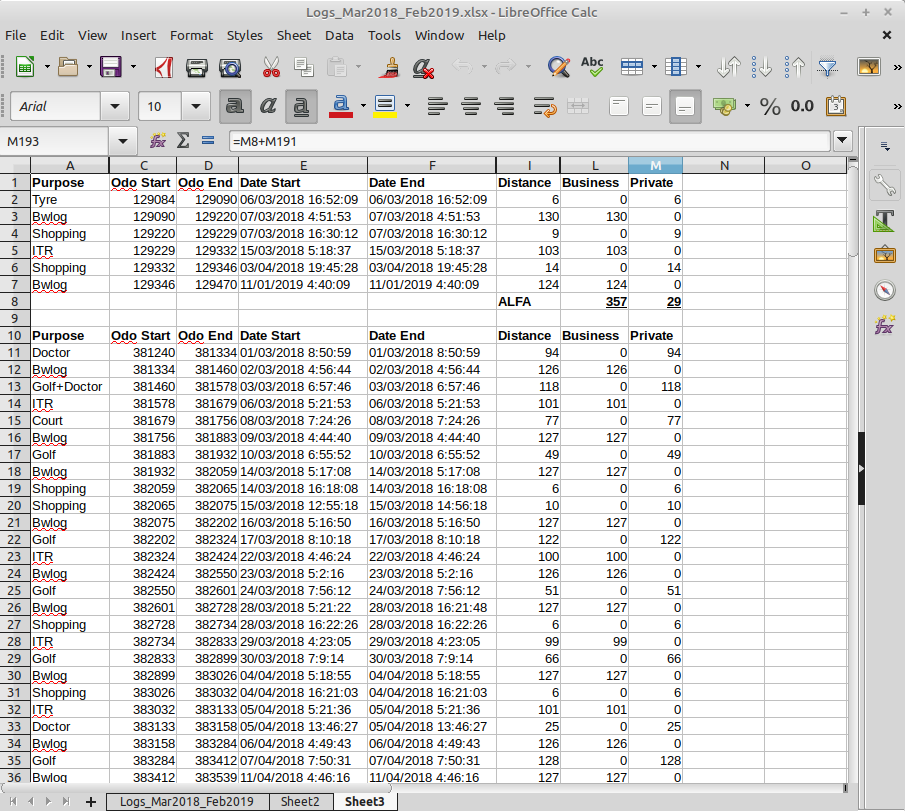
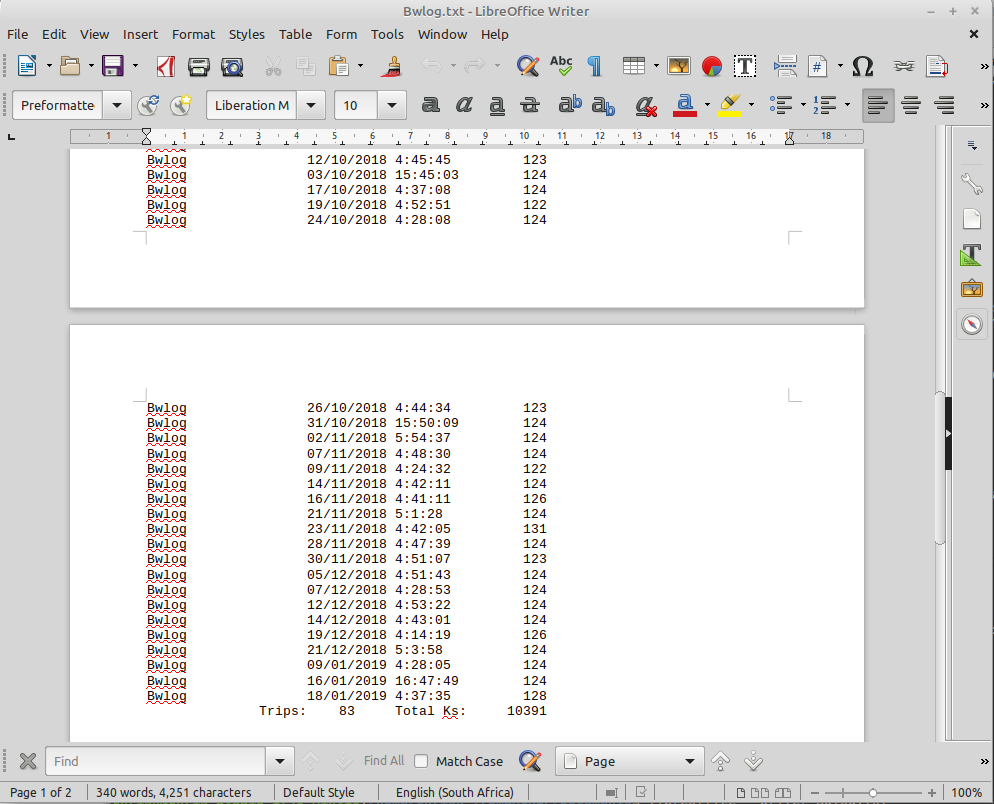
... one needs to extract all travels for a chosen 'Spreadsheet Purpose column', reporting the Topic, Date and Kilometers. Also count how many travels and produce a Total of Distance traveled.
Sure - the long way would be to edit the spreadsheet, Sort the data, HIDE the columns not required and Total per 'Spreadsheet Purpose column'. Then Copy the data for a given Purpose to wherever it is required - an Office 'Document' or another 'Spreadsheet'.
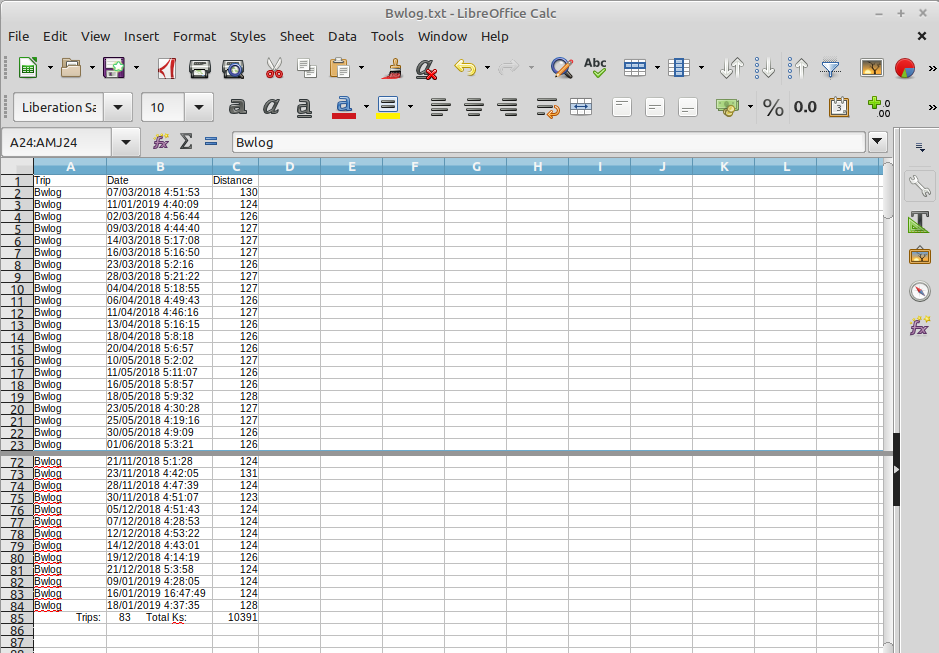
BUT - a 'One-line' set of Linux commands can extract only the required data from the Spreadsheet and provide the result (in SECONDS) in for example an 'Office Document' like here:
OR - in a 'Spreadsheet' if so desired like here:
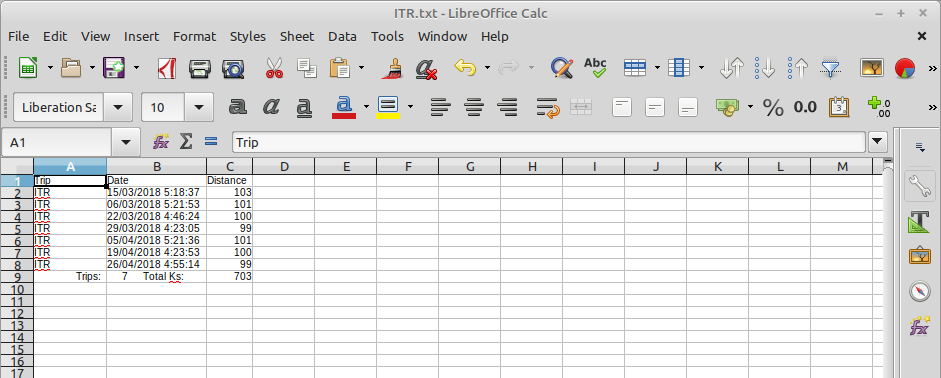
By changing only ONE word in the 'One-liner', the extracted data can be for a different 'Spreadsheet Purpose column' like shown here:
Due to the fact that words can not 'show' the speed of things, a very short video below to showcase the speed of extracting Excel data with a Linux one-line command - the result is literally ready in seconds for saving and printing as you require (time will depend on the size of the spreadsheet of course, but the power of Linux is such that it would take a huge amount of data to delay a query result ...)
The possibilities are only limited by one's Imagination or Desire.
And, not to bore anybody to death, end of 'ramblings' (that could continue for pages and pages ...)
* Terms and Conditions apply